HOW TO SET UP YOUR Ai81 SPEAKERS FOR THE FIRST TIME
When you first receive your Fluance Ai81 Speakers, be sure to keep your packaging in the event that you need to transport them, or if warranty service is required. Our packaging is specially designed for the speakers to keep them safe from damage during shipping.
Once you remove the speakers from their packaging you will need to follow the these steps to get your system up and running:
Speaker Placement
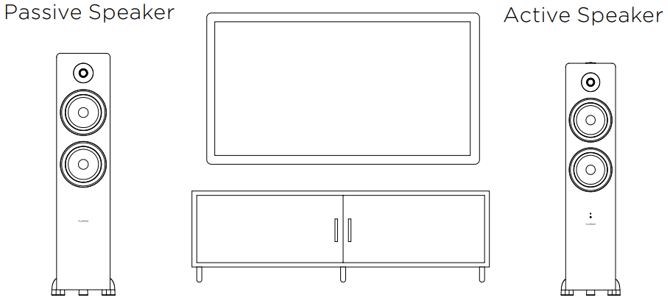
If the speakers are near a wall, we recommend they are kept 6-12 inches away from the wall.
Connect the Speaker Wire
The speaker wire will connect the active to the passive speaker so both receive power.
1. Loosen the binding post.
2. Insert the metal portion of the speaker wire. Additional insulation can be stripped from the wire if needed.
3. Tighten the binding post on the wire.
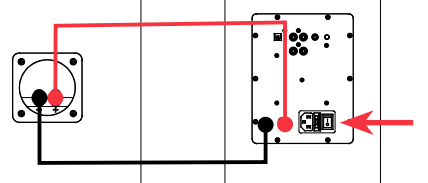
Ensure that the same side of the wire is connected to the matching binding post on both speakers. Red to Red/Black to Black.
Connecting your speakers to power
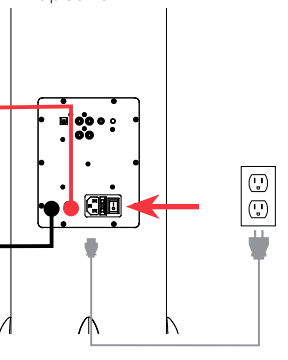
1. Connect the included power cable to the power port on the back of the speakers.
2. Once connected you can turn the speakers on using the power switch next to the power cord.
HOW TO CONNECT Ai81 SPEAKERS TO A TURNTABLE
NOTE: Fluance Ai81 does not include a built-in preamp. If connecting to a Reference Series turntable, an external preamp such as the Fluance PA10 will be required.
Connect an RCA cable to the RCA outputs on the turntable.
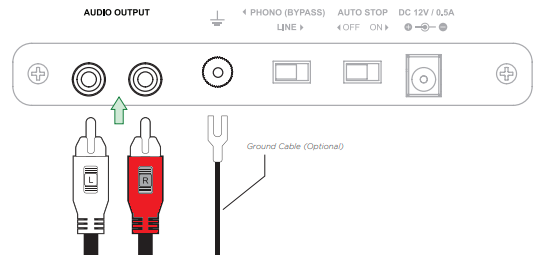
1. Connect the other end of the RCA cable to one of the RCA inputs on the Fluance Ai81 active speaker. The ground cable can be connected from the turntable ground terminal to an external preamp, or under a screw on the back panel of the speaker.
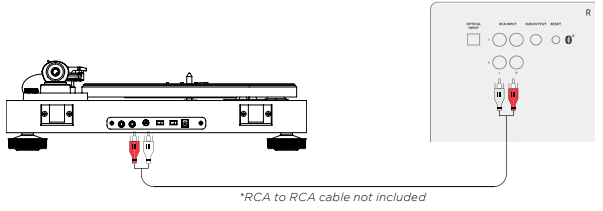
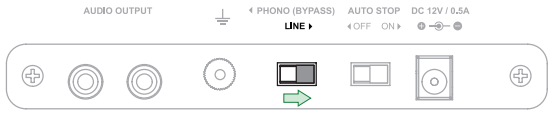
2. If your turntable has a built-in preamp like the Fluance RT80 and RT81 models, set the preamp switch to "LINE" to enable it.
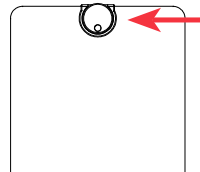
3. Press the control knob on the speaker, or the source button on the remote to select the RCA source. The LED will show your selected source: RCA 1 = Green, RCA 2 = Purple.
1. Ensure protective caps are removed from the ends of the Optical cable.
2. Connect the Optical cable to your source device (TV, Computer, Game Console...).
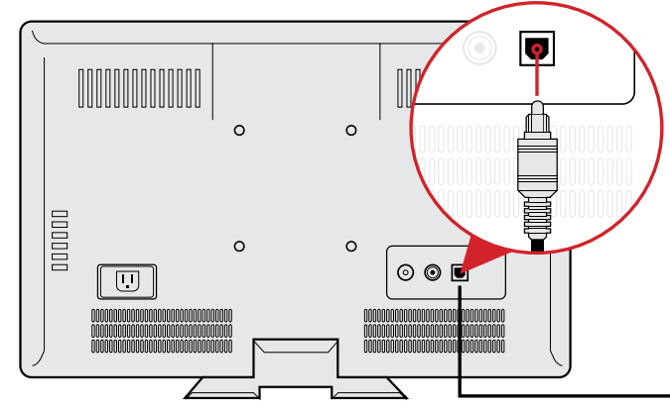
3. Connect the other end of the Optical cable to the back of the active speaker.
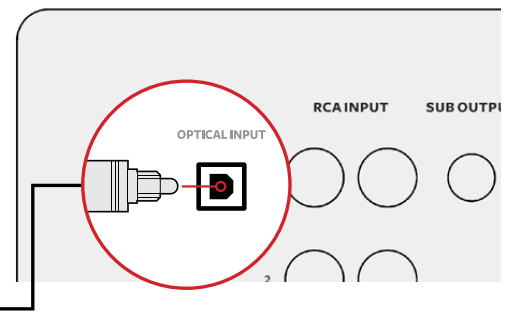
4. Press the Control Knob or Source button on the remote control to select the Optical Input. The LED will appear white when set to Optical.
Optical Audio Signal Compatibility
The Ai81 does not support Dolby Digital Audio or DTS Audio. Locate the audio output settings on your source device and ensure Dolby Digital is turned off. The correct audio output setting is commonly referred to as PCM or Stereo. Some TVs also require that audio output be enabled. This setting may be referred to as External Speakers. Ensure this is selected as your speaker/audio output. For instructions on a specific device, please consult the device’s user manual.
HOW TO CONNECT TO Ai81 SPEAKERS USING BLUETOOTH®
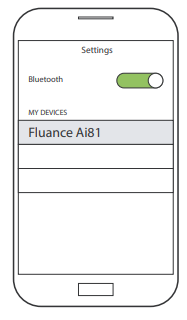
2. Open the Bluetooth settings on the device and select "Fluance Ai81" on your source device.
3. Use the Remote to control playback on your source device.
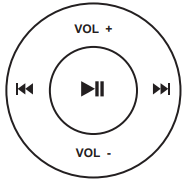
Note: Adjust Volume on the source device as well as the Ai81
If your device cannot find “Fluance Ai81”, you can reset Bluetooth® pairing.
Press and hold  on the Remote for 3 seconds to reset Bluetooth® pairing.
OR
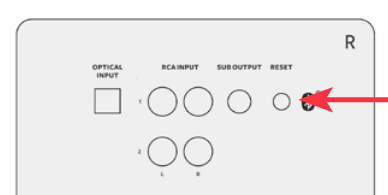
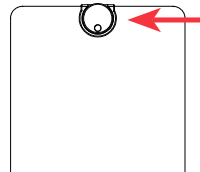
Press the Bluetooth Pairing Reset Button on the back of the active speaker.