
Confirm that your TV or audio source has an HDMI ARC connection, the HDMI port will be specifically labeled HDMI ARC or Audio Return Channel. While the speakers do not support eARC, it should still work while connected to an HDMI eARC port. 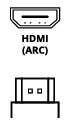
If you are not hearing sound over HDMI ARC, or your TV is not properly recognizing the speakers, try these steps:
- HDMI Connection: Ensure the HDMI cable is connected to the HDMI-ARC port on the TV. Use an HDMI 2.0 (or higher) high‑speed cable.
- TV Audio Settings: Verify that the TV audio is set to HDMI.
- Auto-Detect: Ensure auto-detect is turned off.
- HDMI Cable Check: Unplug and plug all HDMI cables to check for any issues.
- HDMI ARC Setting: Enable-disable-enable the HDMI ARC setting (switch from HDMI ARC to internal speaker and back to HDMI ARC).
- Digital Sound Out Setting: Select PCM for troubleshooting. If it still doesn't work, switch back to Auto, then PCM, and Auto again.
- HDMI-CEC/Anynet+/Control Other Device: Enable this setting. Note: While the Ri71 and Ri91 speakers do not support HDMI-CEC functionality, this setting must be turned on for HDMI ARC to function. You will not be able to control the speaker power or volume with the TV remote.
- Power Cycling: Turn off the TV and speaker (make sure to use the switch on the back of the speaker), wait for 10 or more seconds, then power both devices back on.
- HDMI Refresh: Unplug all HDMI cables from the TV, unplug power cords from the TV and speaker, wait for 5 minutes, then reconnect all HDMI and power cables.
- Audio Check: Test audio on different devices if possible.
- Streaming Services: Check by changing source of media(Netflix, Disney, Amazon etc).
- Factory Reset: Perform a factory reset on the TV, then test again.