If you’re hearing crackling noises while playing records or noticing that dust is attracted to your vinyl, it may be caused by static build-up. As your records play, the friction between the stylus and vinyl can cause static build-up. This is a common issue, especially in dry environments or during colder months when indoor air tends to be drier.
These steps will help you reduce the effects of static on audio quality.
Stylus Break-in
Allow 15-20 hours of normal playback so the stylus can be broken in. This allows the rubber boot holding the stylus to become more flexible resulting in better audio quality.
Check the Humidity
If you have a thermostat nearby, check the humidity level in the room where you’re playing records. Low humidity often contributes to static build-up.
Preventing and Removing Static
-
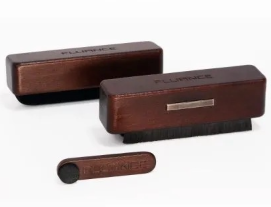
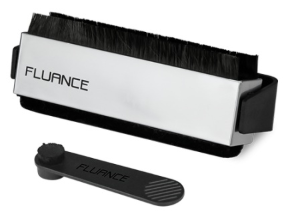
Before Playback: Use an anti-static brush such as one of our cleaning kits on your record before lowering the stylus. This helps remove both dust and static charge. A stylus brush will help remove dust and debris from your stylus which can increase static generation.
-
Cleaning the Acrylic Platter: If the platter has noticeable static, avoid wiping it down with dry fabric (which can make the problem worse). Instead, lightly dampen a microfiber cloth with distilled water, wipe gently, and allow it to air dry.
Fluance 3-in-1 Vinyl Record & Stylus Cleaning Kit